

Download AWW
Manage sales on Kaspi.kz right from your phone. Choose your platform.


Features
What you'll get
Repricer
Automated pricing for up to 50,000 SKUs. Competitor monitoring and margin protection.
Up and running in 5 minutes
How to get started
Download the app
Install AWW from the App Store or Google Play. No registration needed — the profit calculator works right away, even without internet.
Connect your Kaspi store
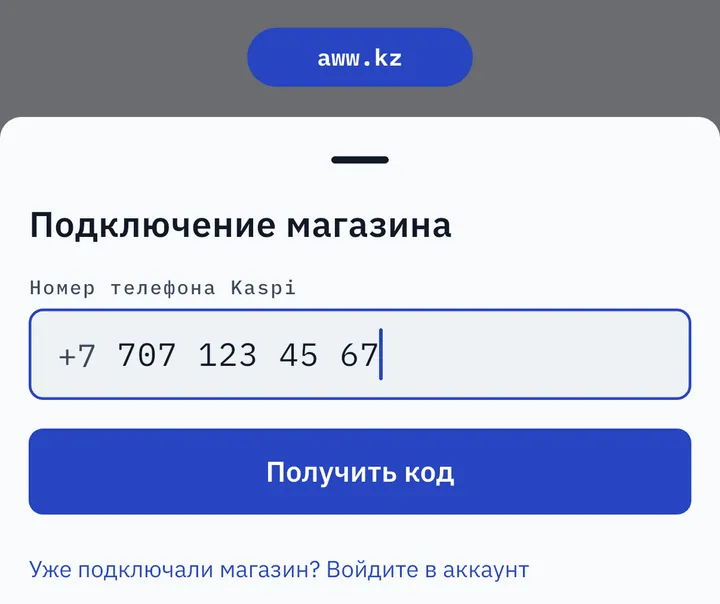
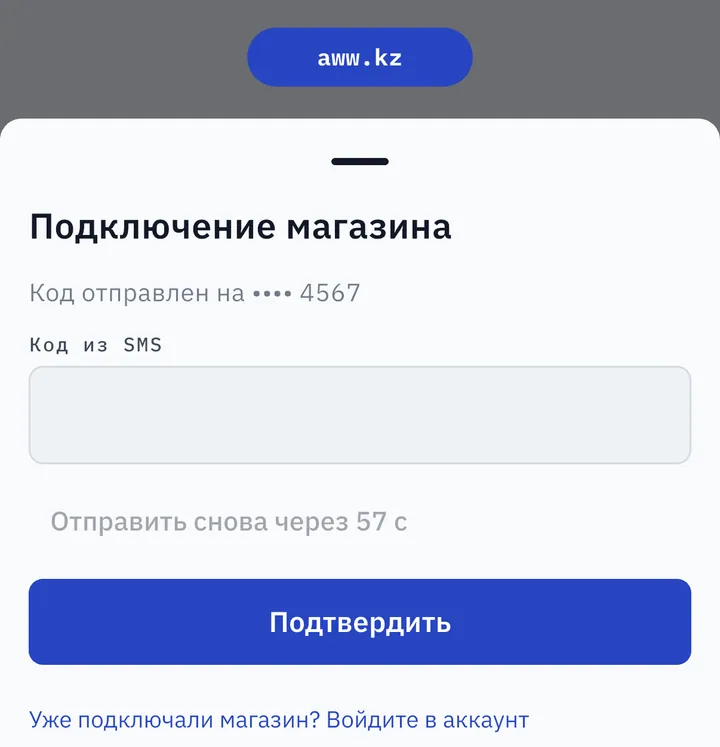
Connect in a couple of minutes with an SMS code — no complicated setup or integrations.
Enter your costs
Add purchase prices for your products — manually or via CSV import. AWW calculates the break-even point for every SKU.
Turn on the Repricer
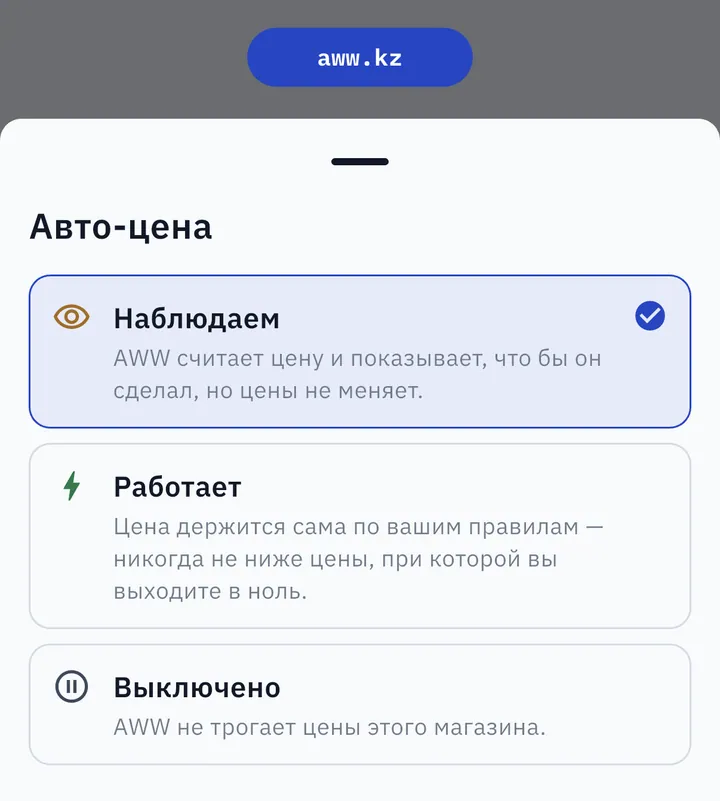
Start in watch mode: you see what the bot would do with your prices. Once you trust it, switch to live mode with a single tap.
Steps 2 and 4 in the app — real screens, in the Russian interface (the app also runs in Kazakh).
Kaspi sellers are already on AWW
Repricer, analytics and calculator — one app, free during the open launch
Compatibility
System requirements
About the app
Why a Kaspi seller needs the AWW app
AWW is a mobile app for Kaspi.kz sellers that covers three everyday jobs: calculating profit, keeping prices competitive, and seeing the real picture of your sales. All of it from your phone — no laptop, no spreadsheets, no manual commission math.
The profit calculator works right after install, with no registration and no store connection. Enter your purchase and selling prices — the app factors in the Kaspi commission for your category, delivery, packaging and returns, and shows net profit, margin and the break-even point. It is the fastest way to check whether a product is worth entering at all.
The Repricer watches competitors' prices and adjusts yours automatically so your product stays at the top of search results. The key difference from manual undercutting: AWW knows the cost of every SKU and will never drop a price below its break-even point — selling at a loss is impossible even by accident. You set a min–max corridor and a target position, and the algorithm handles the rest.
Analytics collects your store's orders and shows profit by product and category, revenue trends, returns and cancellations. You can see which listings actually earn money and which just churn turnover at zero. Push notifications warn you about what matters: a competitor changed a price, a product is running out of stock, your rating dropped.
The app is built in Kazakhstan around the realities of Kaspi: per-category commissions, Kaspi Delivery and postamats, installment plans, seller rating requirements. The interface is available in Russian and Kazakh. Every feature is free during the open launch — download it and test it on your own store.
Ready to get started?
Download AWW and start increasing sales — every feature is free during the open launch.
FAQ
