Pre-orders on Kaspi:
sell before stock arrives
The goods are still on the way from your supplier, but orders are already coming in. AWW enables pre-orders in a couple of taps and makes sure you never run into Kaspi penalties.

Why a store needs pre-orders
Four situations where pre-orders bring money instead of headaches
Sell without a warehouse
Stop freezing money in stock. Get the order — bring the product in — ship it. Turnover grows without warehouse inventory.
Out-of-stock stops losing sales
The product ran out — instead of "out of stock" the buyer sees a delivery lead time and still orders from you, not from a competitor.
Test a niche without buying stock
List a product with a pre-order and see real demand before you invest in a batch.
Made-to-order goods from China
Cargo takes 10–20 days — the pre-order covers the delivery window, and items from 1688 and Alibaba sell while they travel.
How to enable pre-orders in AWW
No manual price lists — everything from the app
Choose the products
A single product or a whole group at once — for example, the entire category arriving in the next shipment.
Set the delivery lead time
The number of days until shipment to the buyer. AWW checks the Kaspi limit itself and will not let you set a lead time above the allowed maximum.
Check the preview
Before applying, you see how many products will change and how. Confirm — the setting goes to Kaspi, and the catalog updates within minutes.

Kaspi rules
Pre-orders are strict. AWW has your back
Pre-orders on Kaspi come with tough rules, and breaking them costs the store rating and money. Here is what matters:
-
The period is capped — roughly 30 calendar days (see the Kaspi Guide for the current limit). Setting "60 days just in case" is not an option. -
One lead time per city — all warehouses in the same city must share the same pre-order lead time. It can differ between cities. -
Delays are punished — fail to deliver the product on time: a penalty, a rating drop and automatic order cancellation.
What AWW does for you
-
Limit control — the app will not let you set a lead time above what Kaspi allows. -
Consistency across cities — lead times for warehouses in the same city are set identically, automatically. -
Deadline reminders — AWW tracks the delivery deadline for every pre-order and warns you in advance. -
The listing stays untouched — pre-orders go through the price list, as Kaspi requires, so your product listing stays safe.
Which products fit pre-orders
Pre-orders do not work everywhere — an honest breakdown of where they earn and where they hurt
A good fit
Non-urgent purchases — furniture, home appliances, tools: the buyer is willing to wait for the price or a rare item. Made-to-order goods from China — the cargo window is covered by the pre-order period, no warehouse needed. Rare and niche items — when you are one of the few sellers, waiting does not scare buyers away. Bulky goods with expensive storage — cheaper to bring in to order than to keep a warehouse. New items for demand testing — validate a niche without money frozen in a batch.
A poor fit
Urgent purchases — chargers, cables, consumables: the buyer takes whatever arrives tomorrow. Categories where competitors have stock — all else being equal, a listing that says "tomorrow" always beats "in 15 days". A seasonal peak happening right now — while the product travels, the season ends and demand with it. A supplier with unstable timing — if deliveries "float", a missed pre-order deadline will hit your rating.
In practice
How to pick a delivery lead time and not miss
The working formula is simple: supplier dispatch time + logistics time + a 20–30 % buffer. The buffer is mandatory: customs, weather and holidays eat up days, and a missed pre-order deadline costs more than an extra three days of waiting on the listing.
Check your supplier's calendar separately. Chinese factories shut down for two to four weeks for Lunar New Year and for "Golden Week" in early October — an order placed right before the holidays easily falls out of any schedule.
And before enabling a pre-order, make sure the supplier actually has the product in stock: a pre-order sells a promise, and you are the one who will have to keep it, not the factory.
Five common pre-order mistakes
Each one costs sellers rating or money
- 1 A lead time with no slack.
Setting exactly the cargo transit time with no buffer. Any delay at customs — and the pre-order is overdue: a penalty, a rating hit, automatic cancellation.
- 2 Forgetting about holidays in China.
Factories stand idle for weeks over Lunar New Year and the October "Golden Week" — timelines quoted by a supplier before the holidays do not hold.
- 3 Enabling pre-orders across the whole catalog indiscriminately.
For urgent goods, a listing that says "in 15 days" loses to competitors with stock. Enable pre-orders selectively — AWW has bulk enabling with a preview exactly for this.
- 4 Not checking supplier stock.
Orders start coming in, but the factory has nothing. You will be the one cancelling the orders — along with your rating.
- 5 Losing track of an order.
A pre-order lives longer than a regular order and is easy to forget. AWW tracks the deadline for every such order and reminds you in advance.
In detail
What a pre-order on Kaspi is and how it works
Regular selling on Kaspi works simply: product in stock — sales happen; it runs out — the listing flips to "out of stock" and buyers go to competitors. A pre-order breaks that dependency: you set a delivery lead time in days for the product, and Kaspi keeps accepting orders while showing buyers an honest delivery date. Technically, the setting is sent through the store price list — the same channel that updates prices and stock levels.
For the seller this is a made-to-order mode: money is not frozen in warehouse stock, the assortment can be expanded with items still on their way from the supplier, and demand in a new niche can be tested without buying a batch. It is especially useful for those who bring cargo goods from China: delivery takes 10–20 days, and the pre-order fully covers that window — the product sells while it travels.
The flip side is discipline. Kaspi enforces deadlines strictly: an overdue pre-order means a penalty, a rating drop and automatic order cancellation, and on Kaspi the rating converts directly into rankings and sales. That is why enabling pre-orders "by hand" through an Excel price list is risky: it is easy to forget about an order, mix up warehouse lead times or set a number of days above the limit. AWW automates exactly these weak points — limits, consistency across cities and deadline reminders.
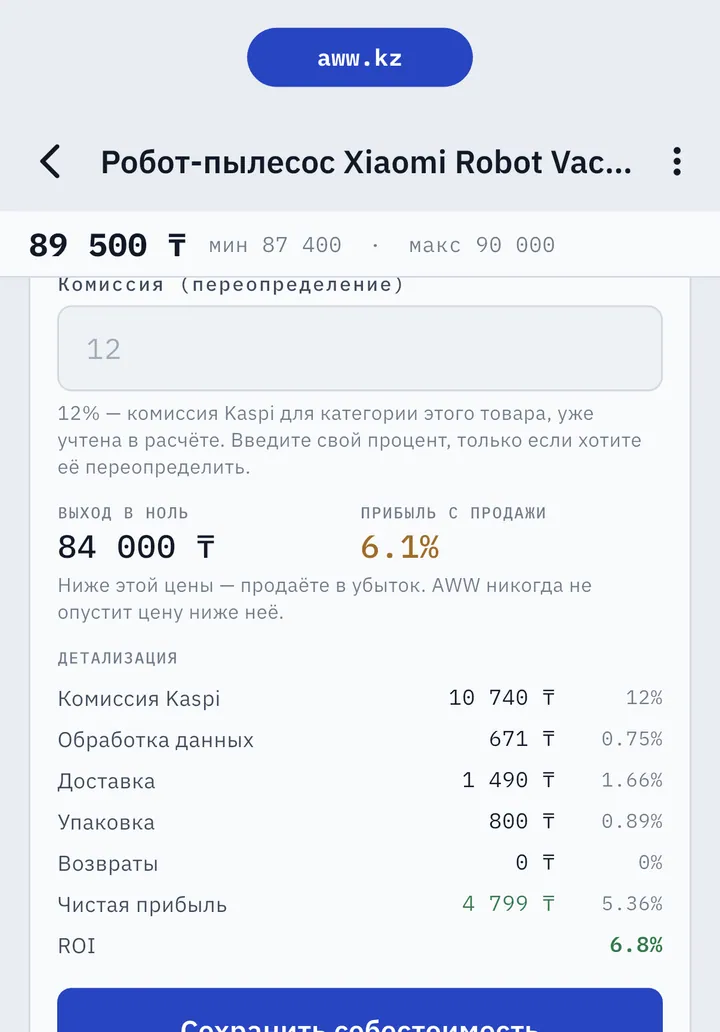
Before enabling a pre-order, run the full economics of the item: supplier purchase price, logistics per kilogram or cubic meter, Kaspi commission for the category and packaging. A product that travels three weeks needs to earn noticeably more than a product from stock — otherwise the pre-order simply stretches your turnover with no upside. The fastest way to check is the profit calculator: enter the purchase price and the selling price — and see the margin with commissions across 21 categories before you even order a batch.
In AWW pre-orders are completely free during the open launch and come in the shared toolkit together with the repricer, profit analytics and the calculator — there are no separate modules or extra fees. For how the seller tools market is structured overall, see our overview of services for Kaspi sellers.
If you are still setting up your store, start with our guides: how to add a product and how the Kaspi seller dashboard works.
Frequently asked questions about pre-orders
A pre-order is a selling mode where a product can be bought before it arrives at the seller’s warehouse. Instead of "out of stock", the buyer sees the delivery lead time in days on the listing and places the order with confidence, while the seller gets time to bring the product in.
Pre-orders are set through the store price list: you specify the number of delivery days for a product. In the AWW app it takes a couple of taps — choose a product or a whole group of products, set the lead time, and AWW sends the setting to Kaspi through the standard price list channel.
Kaspi limits the pre-order period to roughly 30 calendar days — check the current limit in the Kaspi Guide for partners. AWW automatically prevents you from setting a lead time above the limit.
A missed pre-order deadline means penalties, a drop in store rating and automatic order cancellation. That is why AWW tracks the deadline for every pre-order and reminds you in advance, while there is still time to bring the product in.
Nothing. Pre-orders are part of the AWW toolkit, free during the open launch, together with the repricer, profit analytics and the calculator — no separate modules or extra fees.
Yes. AWW has bulk enabling: you select a group of products, set the lead time — and before applying you see a preview of exactly what will change. No "silent" bulk edits.
Yes. Kaspi shows the delivery time in days on the listing, and the buyer places the order knowing the product will arrive later than usual. An honest lead time works in your favor here: a realistic 15 days beats a missed 7.
Yes, at any moment: remove the delivery lead time and the product returns to the regular sell-from-stock mode. In AWW it is a single action, and for a group of products — bulk disabling with a preview.
Free during the open launch. The feature ships with the latest app version.