National Catalog (NCT) and NTIN for Kaspi sellers
From 1 July 2026, without an NTIN on a product Kaspi won’t publish the card and the cash register won’t print a receipt. Understand it in 5 minutes and check your catalog’s readiness — free
Pick your business segment
Catalog readiness check
Paste product barcodes — one per line. The check runs locally in your browser; nothing is uploaded
Check result
Paste barcodes on the left
We check the format of each barcode and show how many products are ready for NTIN auto-lookup
Find real NTINs across your whole catalog
This check only validates the format. The real NTIN lookup in the National Catalog is done by the AWW app — your Kaspi cabinet is already connected
Open in the appNCT registration deadlines
| Segment | Deadline | Status |
|---|---|---|
| Importers and manufacturers | 1 March 2026 | passed |
| Retail chains | 1 April 2026 | passed |
| Small and micro business | 1 July 2026 | countdown running |
Moderation takes about 3 working days, so the real buffer is smaller than the calendar suggests — start early.
What is blocked without an NTIN after the deadline
It is an operational sales block, not a soft reminder
No receipt from the till
A fiscal receipt won’t be generated for a product without an NTIN.
No ЭСФ or СНТ
E-invoices and waybills won’t go through for that line.
Kaspi removes the card
The marketplace won’t publish or will hide an unregistered product.

What exactly needs to be registered
You register in NCT every product item (SKU) you sell — not a brand or a category, but the specific product. For a Kaspi seller that is your entire active catalog. The good news: products with a factory barcode are usually already described in the catalog, and their NTIN is found automatically. You only enter manually what is not yet in the catalog.
How Kaspi and the till check the NTIN
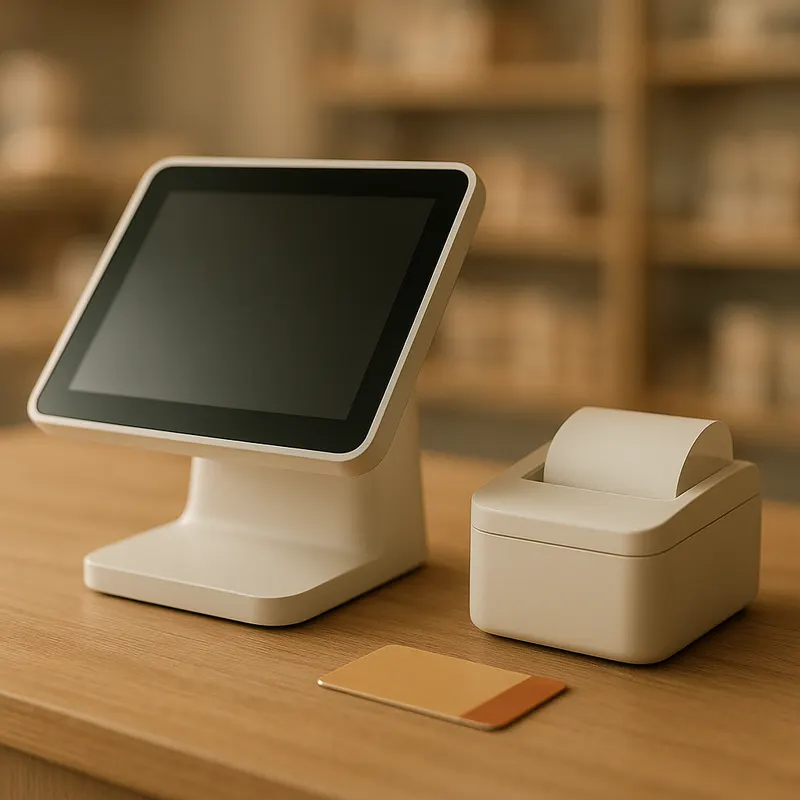
Cash registers are integrated with the National Catalog: at the point of sale the product is matched by barcode. If the item is not in NCT, the fiscal receipt won’t form and ЭСФ/СНТ won’t pass. Kaspi works the same way — a card for an unregistered product isn’t published. So an NTIN is not red tape, it is the technical pass to sell.

Why you shouldn’t wait until 1 July
Moderation of a card takes about 3 working days, and if the data has errors the card is returned for revision — and the cycle repeats. A seller starting on 30 June is already late. The sensible strategy is to clear everything you can by barcode auto-lookup right now, and calmly fill in the remaining barcode-less long tail before the deadline.
What to prepare for registration
E-signature or Egov
To sign in to nationalcatalog.kz.
NCT API key
Cabinet → «API keys» → «Create key».
Barcodes (GTIN)
For NTIN auto-lookup on most products.
RU and KK names
Needed for cards of barcode-less products.
How to get an NTIN for Kaspi products
Register in the National Catalog
Sign in to nationalcatalog.kz with your e-signature (ЭЦП) or Egov and create your organization profile. It is a free government service.
Get your NCT API key
In the cabinet open «API keys» → «Create key». The key lets you find and register products automatically instead of one by one.
Find NTIN by barcode (GTIN)
Products with a factory barcode are often already in the catalog — their NTIN is found automatically by GTIN. This clears most of your range in minutes.
Create cards for the rest
For products with no existing record, fill in a card: ОКТРУ classifier, HS code (ТН ВЭД), name in Russian and Kazakh, country of origin and attributes.
Send to moderation
NCT moderation takes about 3 working days. A card can be returned «for revision» — fix the listed fields and resubmit.
Product is registered
Once approved, the product gets an NTIN. Kaspi and the cash register match the product by barcode, so you usually don’t need to type the code into the Kaspi card separately.
Key terms in plain words
NTIN
13-digit national goods code of Kazakhstan, starts with 02. Permanent, issued by NCT for free.
GTIN (barcode)
Global barcode of 8/12/13/14 digits on the packaging. The key for NTIN auto-lookup in the catalog.
XTIN
Temporary code starting with 004. The till assigns it automatically for ~30 days while there is no NTIN.
ОКТРУ and ТН ВЭД
Product-type classifier and customs (HS) code. Required when creating a new card in NCT.
What the National Catalog and NTIN are for a Kaspi seller
The National Catalog of Goods (NCT) is Kazakhstan’s state system where every product is assigned an NTIN: a 13-digit code starting with 02. From 2026 the state phases in a requirement that every sold product be registered in the catalog. For a Kaspi seller the rule is simple: no NTIN, no legal sale — the till, e-invoices and the marketplace all check against the catalog.
Why the barcode (GTIN) path is the fastest
If a product has a factory barcode (GTIN), it is usually already described in the catalog — and its NTIN is found automatically in seconds. That clears most of your range without a single manual card. Barcode-less products are the long tail: for them a card in NCT must be filled in by hand (ОКТРУ, HS code, name in Russian and Kazakh, country, attributes). So the first sensible step is to learn how many of your products are covered by the fast path and how many need manual work — which is exactly what the readiness check at the top of this page shows.
How much it costs and where the savings are
Registration in NCT is a free government service — there is no separate fee for an NTIN. The money in this niche goes to middlemen: a typical rate is around 50 ₸ per product, and turnkey manual registration of a hundred items is priced in the tens of thousands of tenge. AWW makes registration free because your Kaspi cabinet is already connected and the catalog synced — we don’t start from scratch like services that first ask you to connect a store.
The temporary XTIN code — a bridge, not a solution
If a product is not yet in the catalog, the till can assign a temporary XTIN code (starts with 004) for about 30 days so the receipt passes. It helps in the moment but does not remove the obligation to obtain a permanent NTIN. You cannot rely on XTIN as a permanent solution: the term is limited and it is not a replacement for registration.
Who the requirement applies to
The requirement covers everyone who sells physical goods: sole traders and companies, on simplified or general tax regimes, own production and resale. If you only resell someone else’s product with a factory barcode, you usually don’t create a card from scratch — the product is already in the catalog and you just find its NTIN by GTIN. Services, work and digital products are not covered by NCT — it is only about goods.
What to do if there is no barcode
Some goods — loose, no-name, handmade, small-batch imports — have no factory GTIN. There are two paths: obtain a barcode via GS1 Kazakhstan and then an NTIN, or create a card in NCT manually as own production, specifying ОКТРУ, HS code, a name in two languages and attributes (GTIN is not required there). To avoid stopping sales during processing, the till can temporarily assign an XTIN.
Common registration mistakes
- Wrong ОКТРУ — the most common reason a card is returned for revision.
- Missing Kazakh name: it is mandatory alongside the Russian one.
- Confusing GTIN and NTIN — they are different codes with different purposes.
- Wrong HS code (ТН ВЭД) or missing measurable attributes.
- Leaving registration to the last days — with moderation that already means being late.
If the card is returned «for revision»
NCT returns the card noting the field to fix — most often the attributes, units of measure or ОКТРУ. Fix what is listed and resubmit; the re-check runs for the same period. Don’t create a duplicate card — that only lengthens the process and creates extra records.
Do you need an NTIN for other marketplaces
The requirement is national, not «about Kaspi»: an NTIN is equally needed for Halyk Market, Wildberries and Ozon in Kazakhstan, as well as for the offline till. Register a product once in the National Catalog and you cover every sales channel at once — no need to re-do it per platform.
Check your whole catalog in a minute
The web check only validates the barcode format. The real NTIN lookup in the National Catalog, submission to moderation and export are done by the AWW app. Your Kaspi cabinet is already connected — NCT registration takes one screen.
Get the appNTIN & NCT — frequently asked questions
NTIN is a 13-digit national goods code of Kazakhstan starting with 02. It is assigned by the state National Catalog (NCT) and confirms the product is officially registered. GTIN is the global barcode on the packaging (8/12/13/14 digits). GTIN is the key: it is used to find the product in the catalog and quickly obtain its NTIN.
For small and micro business — by 1 July 2026. Importers and manufacturers had to finish by 1 March 2026, retail chains by 1 April 2026. Since moderation takes about 3 working days, you should start early, not on 30 June.
Registration in the National Catalog is a free government service — there is no fee for an NTIN. You only pay with time or to a middleman (usually around 50 ₸ per product). AWW helps for free because your Kaspi cabinet and catalog are already connected.
After 1 July 2026, for products without an NTIN the cash register won’t print a receipt, e-invoices (ЭСФ) and waybills (СНТ) won’t be issued for that line, and Kaspi won’t publish or will hide the card. It is effectively an operational sales block, not a soft reminder.
About 3 working days for commerce (up to 10 for government procurement). That is the review time, not the tool’s speed: lookup and submission are instant, the wait depends on the catalog.
Without a barcode, NTIN can’t be found automatically — you create a card manually in the National Catalog: ОКТРУ, HS code, name in two languages and attributes. The readiness check on this page instantly shows how many of your products need manual entry.
XTIN is a temporary 13-digit code starting with 004. The cash register assigns it automatically when a product is not yet in the catalog so the receipt can pass. It lasts about 30 days and can be extended. It is a bridge, not a replacement — you still must obtain a permanent NTIN.
Usually no. Kaspi is integrated with NCT and matches the product to the catalog by barcode. The key is that the product exists in NCT with an NTIN and has a correct GTIN; then the match is resolved by barcode.
Only trust a service that never shows or stores the key in plain form. In the AWW app the key is sent once over a secure connection, encrypted on the server, and never returned or written to logs. This web page does not ask for the key at all — the readiness check runs locally in your browser.
Yes, you can’t sell without an NTIN either way. But if the product already has a factory barcode, it is likely already in the catalog — you don’t create a card from scratch, you just find the existing NTIN by GTIN. Manual card creation is only for products not yet in the catalog.
No. The National Catalog and NTIN apply only to physical goods. Services, work and digital products are not covered. If you sell both goods and services on Kaspi, only the goods need to be registered.
Yes. The requirement is national, not «Kaspi-only»: NTIN is needed for all sales channels in Kazakhstan — Kaspi, Halyk Market, Wildberries, Ozon and offline cash registers. Register a product once in NCT and you cover every channel.
Manually registering thousands of items in the time left is unrealistic. The bulk is cleared by NTIN auto-lookup by barcode: the AWW app takes your already-synced Kaspi catalog and finds NTINs for every product with a GTIN in one pass. Only a small long tail without barcodes stays manual.
For most services the first step is connecting a Kaspi store from scratch. For AWW users the cabinet is already connected and the catalog synced. So in the app, NCT registration is one screen: paste your NCT key, run NTIN auto-lookup across all products at once, send the rest to moderation and export the result to CSV.
Official sources
Updated 16 June 2026. For information only; verify exact requirements in the National Catalog.